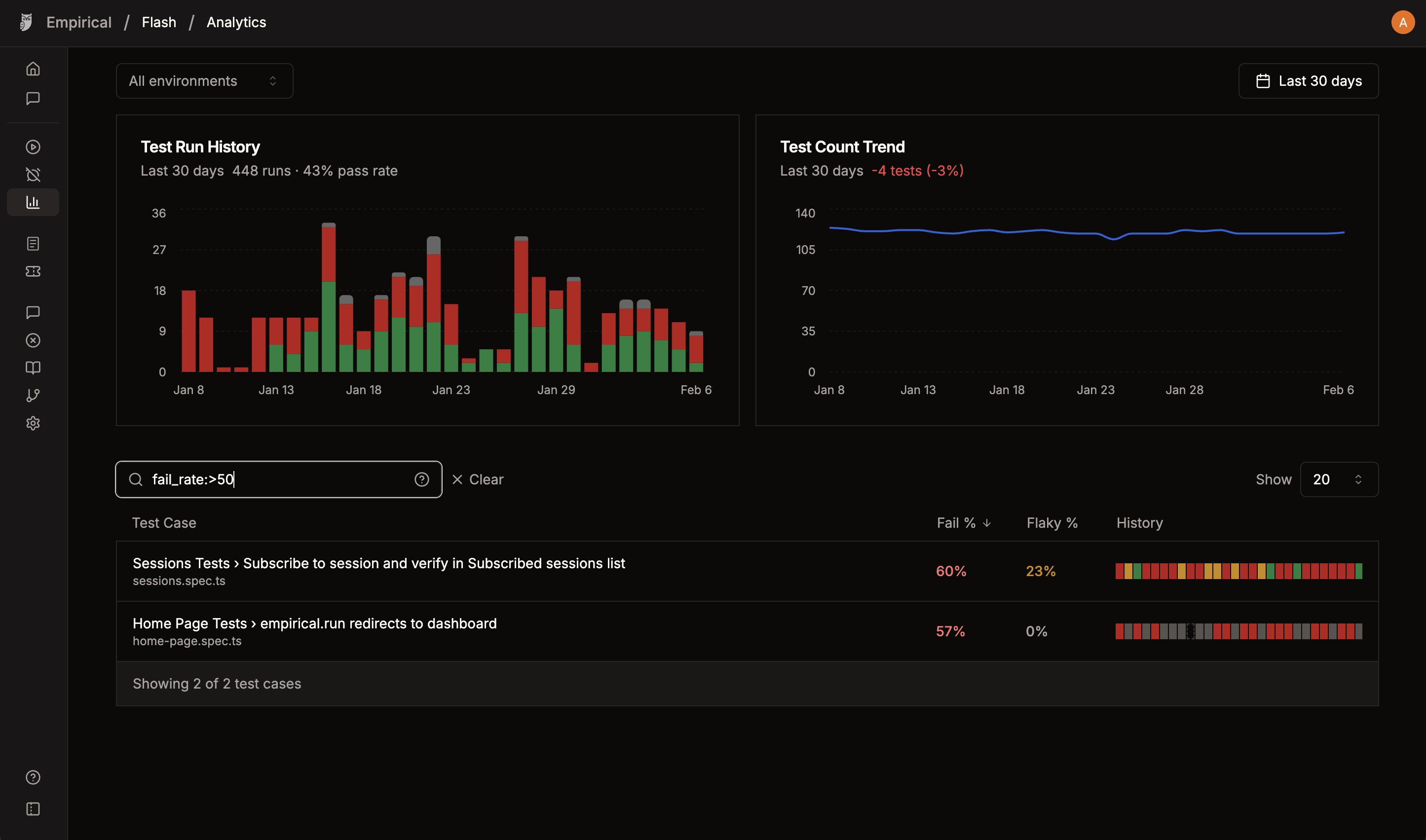
Analytics page provides insights into your test suite’s health, including pass rates, flaky rates, and historical trends. Analytics

Search Syntax

Filter test cases using the search bar with these patterns:
SyntaxExampleDescription
TermloginMatches name or file path containing “login”
Multiple termslogin authMust contain both terms (AND)
Quoted phrase"user login"Treats multi-word text as a single term
Negation-adminExcludes tests matching “admin”
Negated phrase-"slow test"Excludes tests matching “slow test”
Combinedcheckout -guestContains “checkout”, excludes “guest”

Field Filters

SyntaxExampleDescription
project:project:chromiumFilter by Playwright project name
tag:tag:criticalFilter by tag (multiple tags use OR)
tag:__none__tag:__none__Filter tests with no tags
flaky_rate:flaky_rate:>10Filter by flaky rate percentage
fail_rate:fail_rate:>=25Filter by fail rate percentage
flaky_count:flaky_count:>2Filter by flaky count (absolute number)
fail_count:fail_count:>=5Filter by fail count (absolute number)

Metric Filter Operators

For flaky_rate, fail_rate, flaky_count, and fail_count, you can use >, >=, <, <=, =. If no operator is specified, >= is used by default.

Examples

QueryDescription
login flaky_rate:>10Login tests with flaky rate above 10%
tag:smoke tag:criticalTests with either smoke OR critical tag
tag:__none__Tests that have no tags assigned
project:firefox -skipFirefox project tests, excluding “skip”
fail_rate:>=20 -tag:known-flakyHigh failure tests, excluding known flaky